

Restock Notification
Warning: This page is outdated and is kept only for compatibility with existing links. For the current documentation, see the User Guide.
Restock Notification
HeiChat's Restock Notification is a comprehensive and highly flexible solution that allows your customers to subscribe to email notifications when out-of-stock products become available again. This feature covers multiple touchpoints across your store, and since these touchpoints operate independently, you have complete freedom to choose any combination based on your preferences.
Feature Overview
The Restock Notification feature provides three different ways to capture customer interest in out-of-stock products:
- Product Search Widget - Capture emails during product searches
- Shoppable Product Cards - Collect notifications through AI chat interactions
- Product Page Component - Traditional storefront setup directly on product pages
These three methods are completely independent. You can enable just one, two, or all three depending on whether you want to capture emails through AI chat interactions, search, or traditional product pages.
Three Ways to Enable Restock Notifications
1. Through the Product Search Widget
If you are using HeiChat's Product Search widget, customers will be prompted to enter their email address if they search for a product that is currently out of stock. They will be notified once the item is back in stock.
How to enable:
- Go to your HeiChat Dashboard
- Navigate to Widget Settings > Feature Widgets
- Enable Product Search Widget
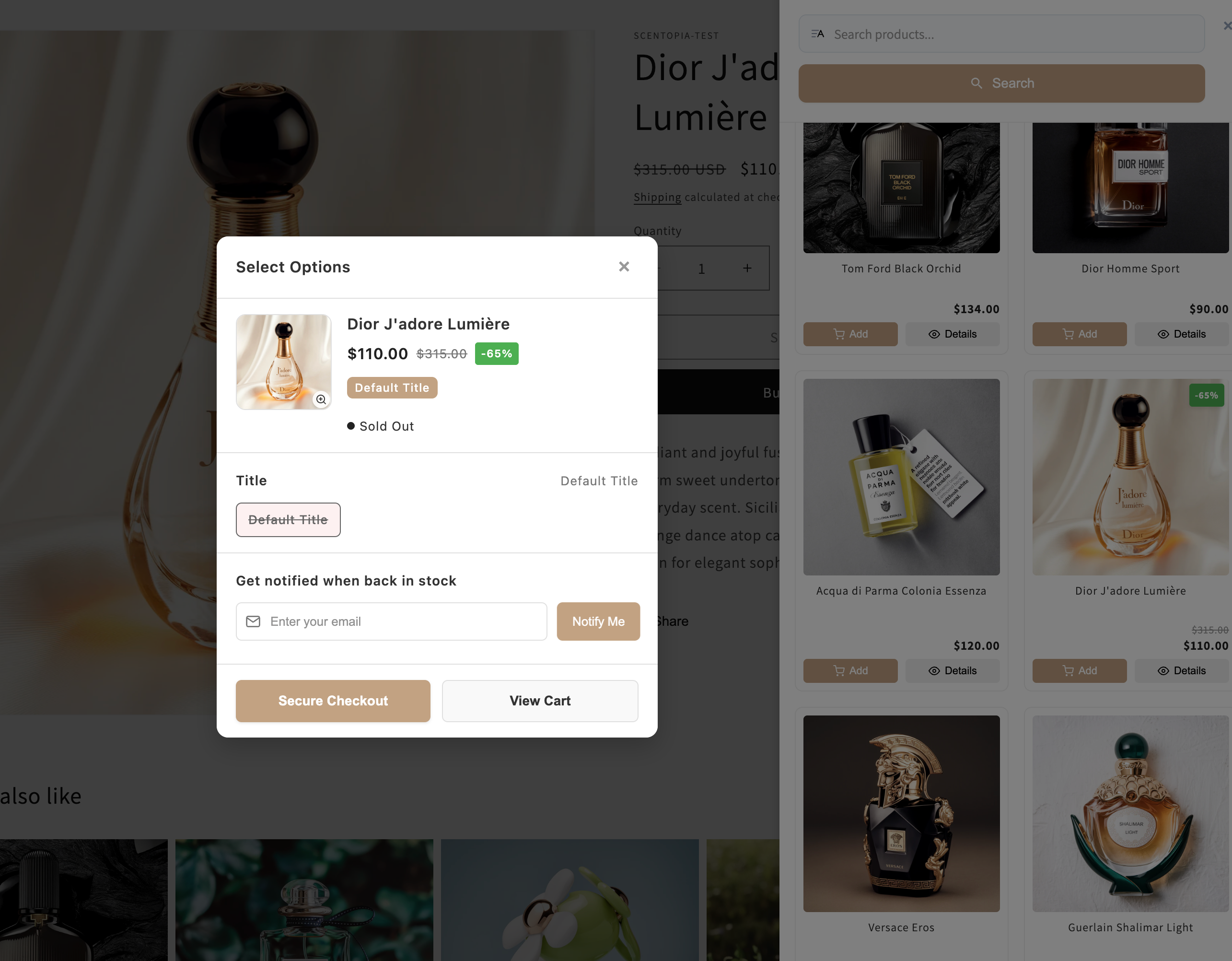
When successfully configured, customers searching for out-of-stock products will see an email input prompt as shown in the screenshot above.
2. Through Shoppable Product Cards in AI Chat
When a customer is chatting with HeiChat and the AI recommends a product that happens to be out of stock, clicking on the recommended product will open a "Shoppable Product Card." This card includes a restock alert component where customers can leave their email to get notified later.
How to enable:
- Go to your HeiChat Dashboard
- Navigate to Setup > Advanced Settings > Product Recommend
- Enable Shoppable Product Cards
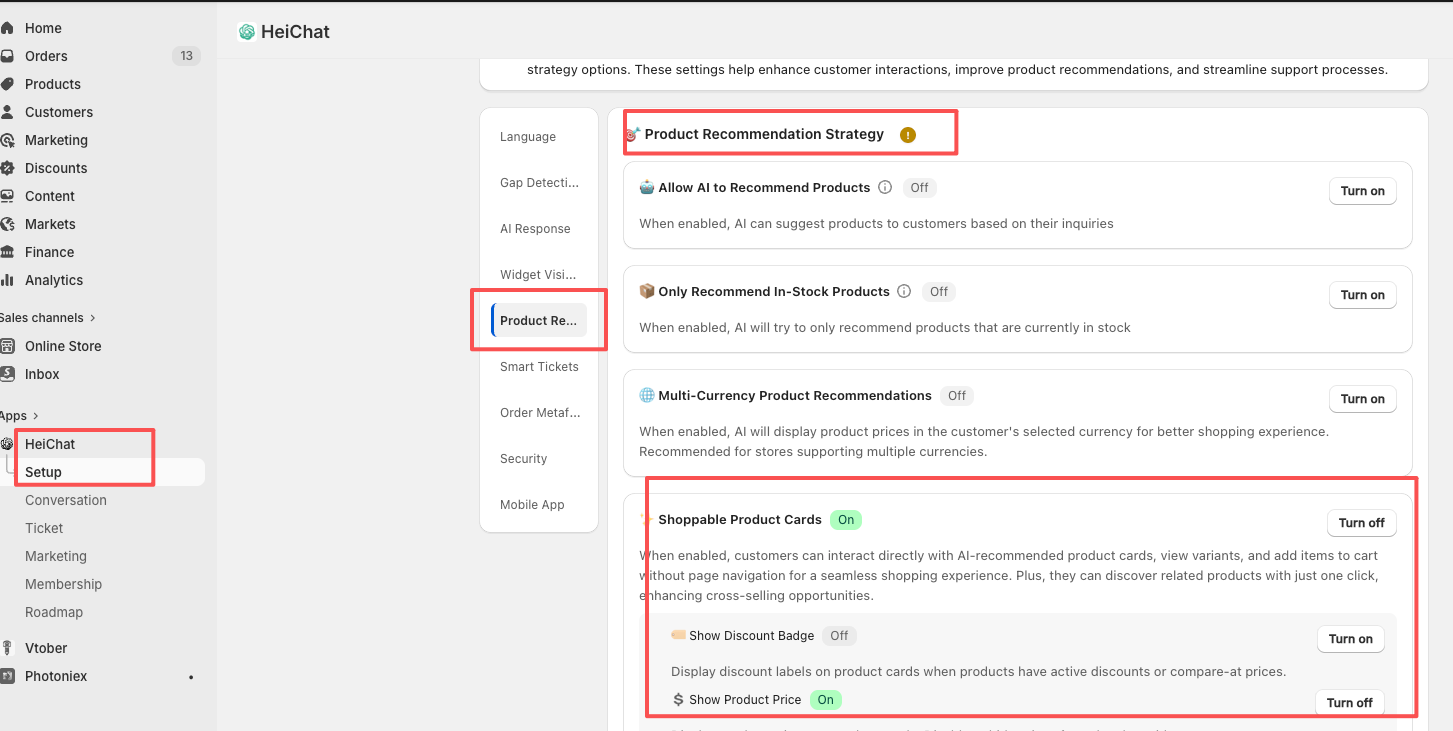
This method is integrated with HeiChat's AI capabilities, allowing seamless notification collection during natural chat conversations.
3. Directly on Your Store's Product Pages
You can also embed a restock alert directly onto your Shopify product pages. This component remains hidden by default and will only appear when a product's inventory drops to zero.
How to enable:
- Go to your Shopify Admin
- Navigate to Online Store > Theme Editor
- Select your default Product page template
- Click Add Block
- Select the Apps section
- Add the HeiChat Restock Alert block
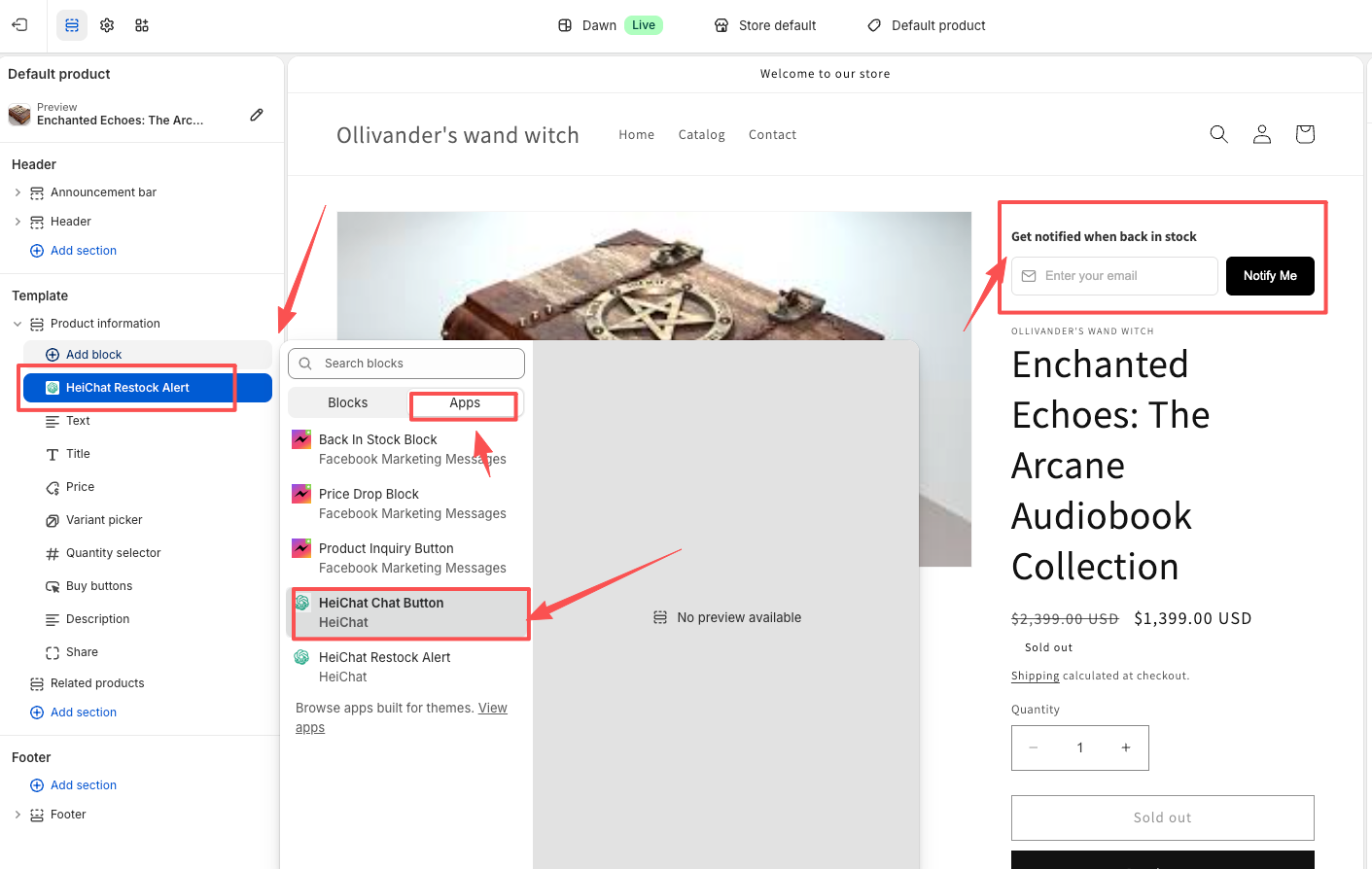
This is a traditional storefront setup that works independently of AI features and integrates directly into your theme.
Important Notes
Current Functionality
Currently, HeiChat collects customer email requests for restock notifications. The system captures customer interest when they want to be notified about out-of-stock products.
Manual Processing Required At this time, HeiChat does not automatically send notification emails to customers when products are restocked. Merchants need to:
- Track customer notification requests in their dashboard
- Manually send emails to interested customers when products are back in stock
- Manage follow-up communications themselves
Future Enhancements
HeiChat is actively developing integrations with popular email service providers like Klaviyo to ensure a seamless merchant experience. Future updates will include:
- Automatic email notifications when products are restocked
- Integration with third-party email marketing platforms
- Advanced segmentation and automation capabilities
Stay tuned for these exciting features!
Summary
The Restock Notification feature gives you multiple options to capture customer interest in out-of-stock products. Choose the methods that best fit your store's setup:
- ✅ Enable all three for maximum coverage
- ✅ Use only AI-related methods (Search + Chat) for intelligent engagement
- ✅ Use only the product page component for traditional stores
- ✅ Mix and match based on your needs
If you need any assistance setting up these features, please don't hesitate to reach out to our support team!