

Email Integration: Seamless Follow-up Beyond Your Website
2026-02-02
We're excited to announce our new Email Integration feature - the missing link in your customer communication strategy!
🔍 The Challenge
- Once customers leave your website, they can no longer receive responses through the chat widget
- Valuable conversations and potential sales opportunities are lost when you can't reconnect
- Customers expect consistent communication across all channels
✨ The Solution
- Connect your email provider directly to HeiChat
- Seamlessly continue conversations with customers after they leave your site
- Send personalized follow-ups, product recommendations, and support responses via email
- Maintain conversation context and history across both chat and email channels
💼 Business Impact
- Recover potential lost sales by continuing conversations with interested customers
- Increase conversion rates through timely follow-ups
- Enhance customer satisfaction with consistent omnichannel support
- Build stronger customer relationships with persistent communication
📋 Setup Requirements
To use email integration, you need to collect customer email addresses first:
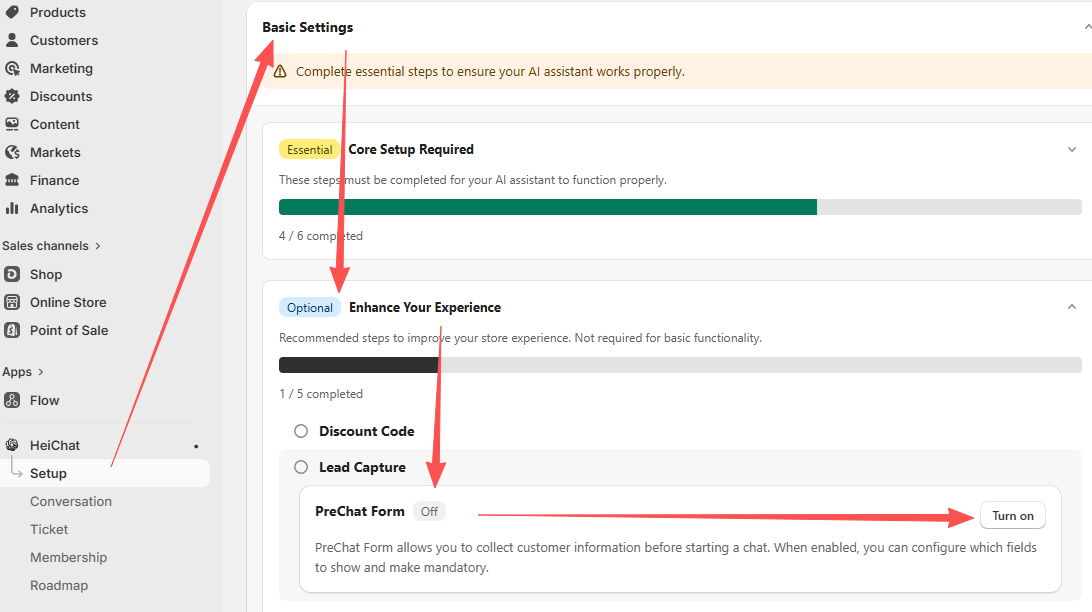
- Enable the Pre-chat Form feature to collect customer emails
- Navigate to Setup → Basic Settings → Lead Capture
- Enable the pre-chat form option
- Once enabled, customers will provide their email before starting a conversation
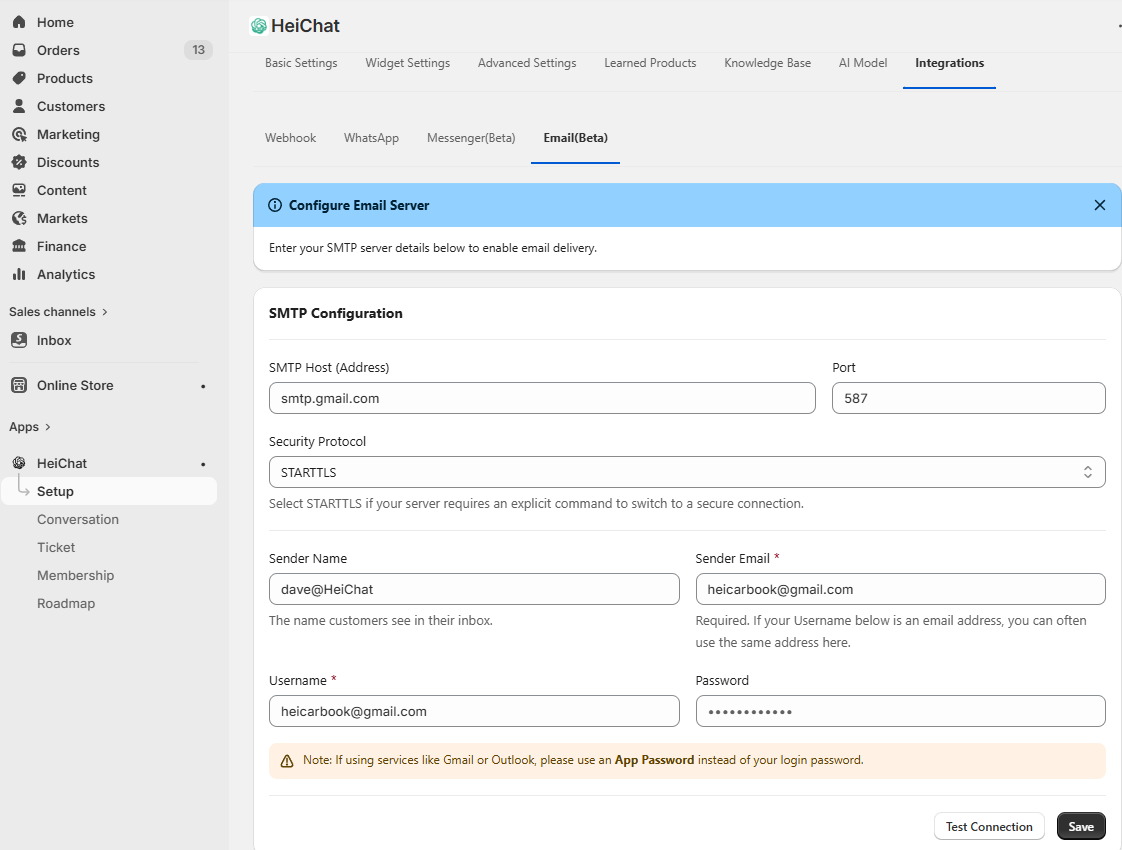
- Configure your email integration
- Navigate to Setup → Integrations
- Connect your email provider and configure email settings
- You can then send follow-up emails to continue conversations
💬 Need Help?
If you have any questions about setting up email integration, please contact us at heicarbook@gmail.com