

How to Generate WooCommerce API Keys
Tutorial
WooCommerce REST API Documentation
Step-by-Step Guide
HeiChat needs WooCommerce REST API keys to connect with your WooCommerce/WordPress store.
The WooCommerce REST API works on a key system to control access. These keys are linked to WordPress users on your website.
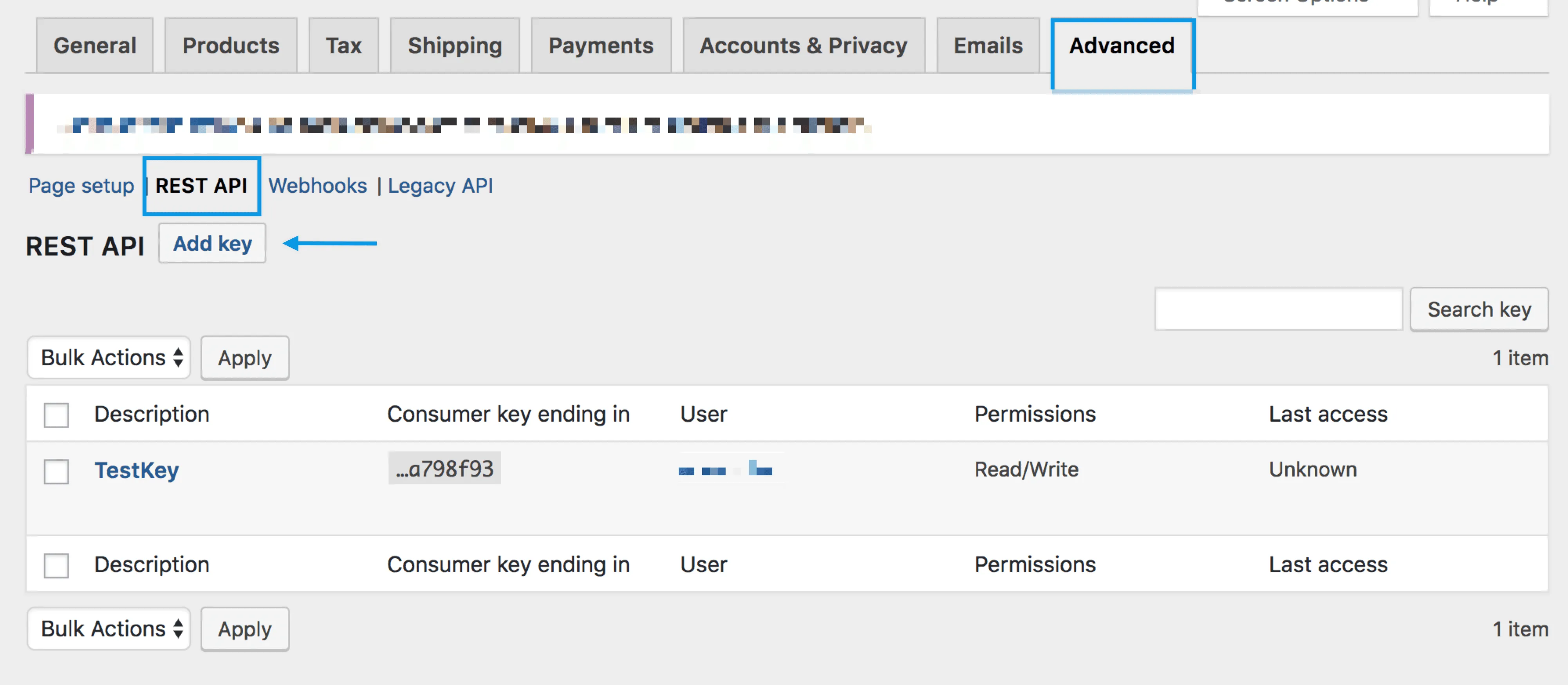
To create or manage keys for a specific WordPress user:
-
Go to: WooCommerce > Settings > Advanced > REST API
Note: Keys/Apps was found at WooCommerce > Settings > API > Key/Apps prior to WooCommerce 3.4 -
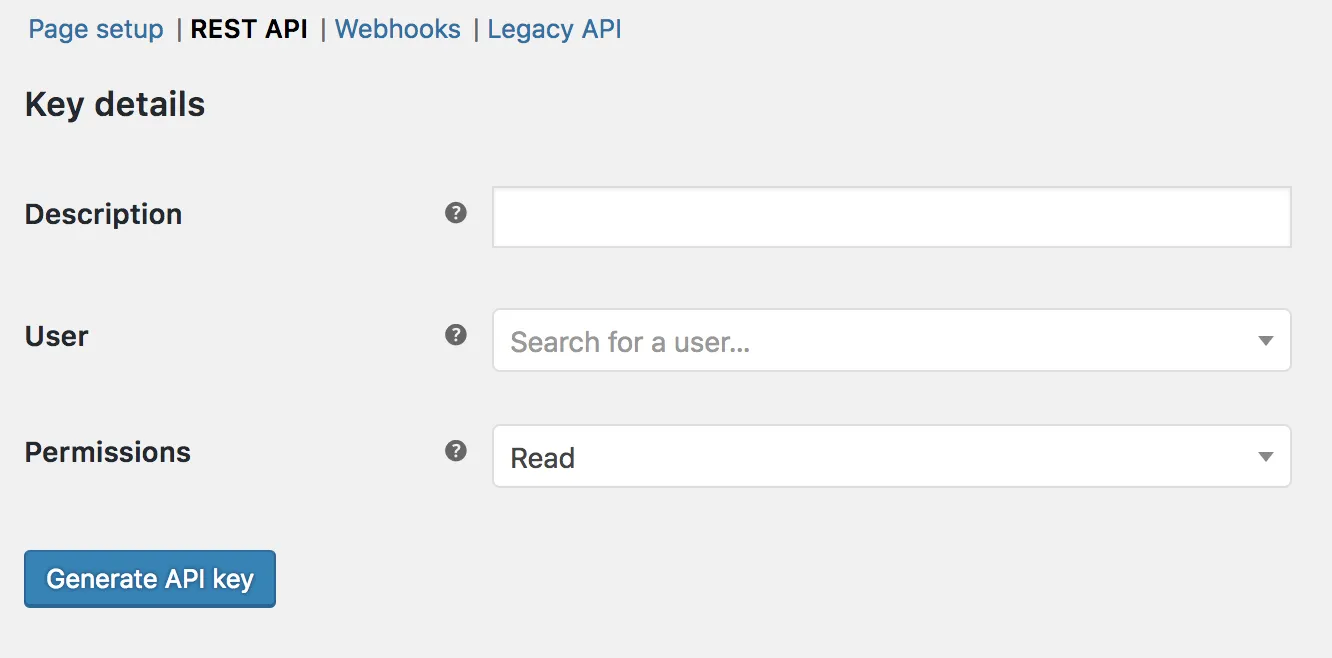
Select Add Key. You'll be taken to the Key Details screen.
-
Add a Description (e.g., "HeiChat-read")
-
Select the User you would like to generate a key for in the dropdown.
-
Select a level of access for this API key:
- Read access
-
Select Generate API Key, and WooCommerce creates API keys for that user.
-
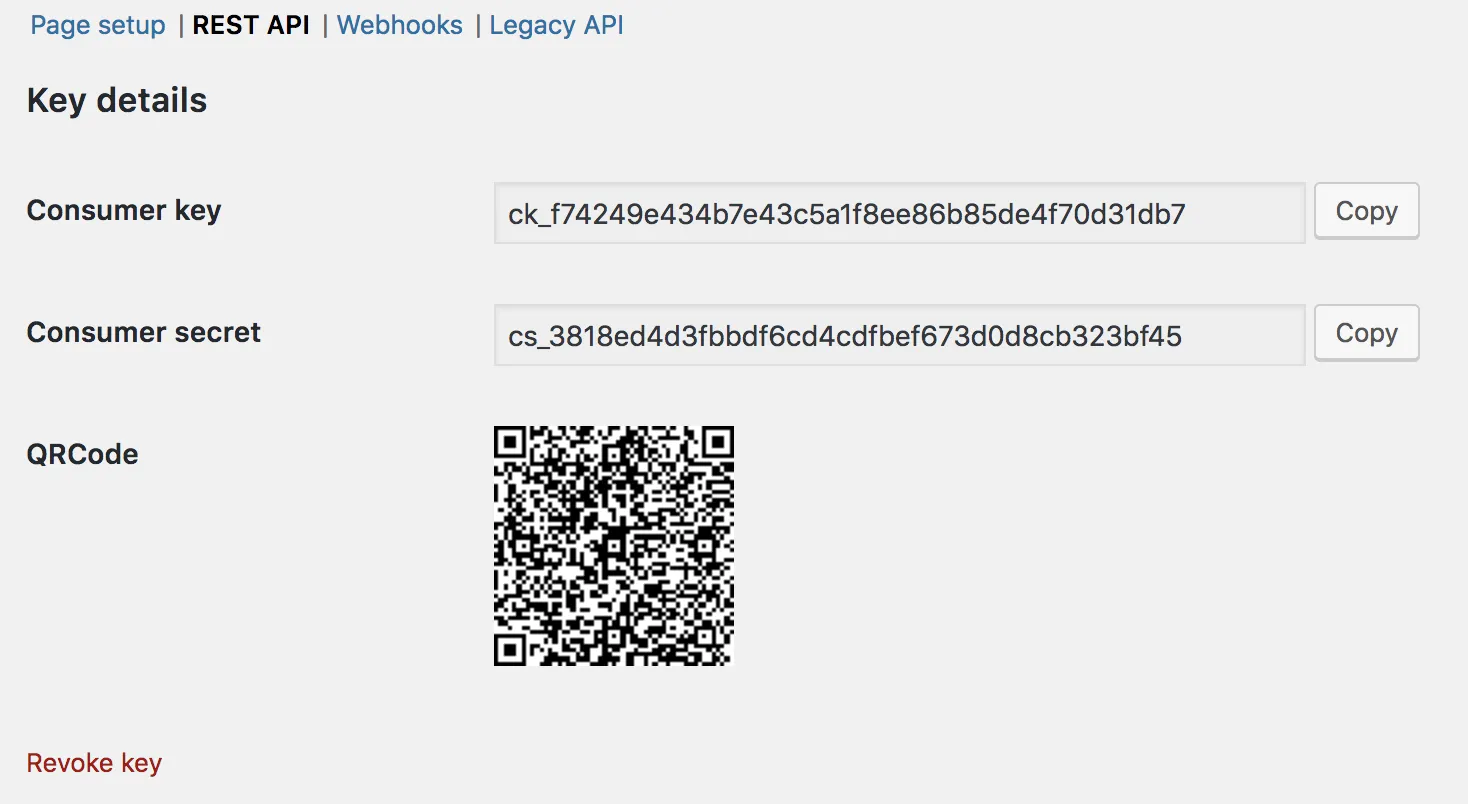
Now that keys have been generated, you should see Consumer Key and Consumer Secret keys, a QRCode, and a "Revoke Key" button.
-
The Consumer Key and Consumer Secret may be entered in the application you'll be connecting to using the WooCommerce REST API. The app should also request your URL.
-
Copy The Consumer Key and Consumer Secret along with your site domain and paste to HeiChat's setting page: https://manage.heichat.net/integration/woocommerce